
Caregivers & privacy
Where are downloads saved — and what the kit form asks
Your file lands in Downloads unless your browser asks where to save it. Here is that folder first, then the honest answer to what the free kit form wants: a first name and an email address, and nothing about your nail.
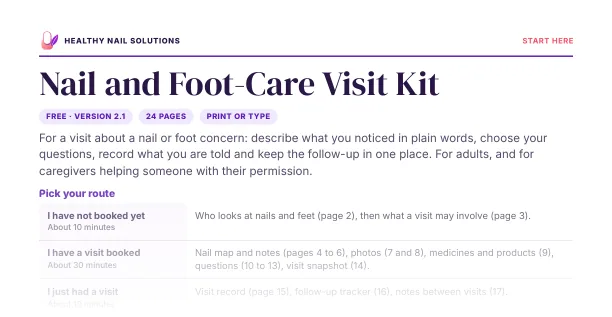
The worry is not really about a folder. It is that your name, and a picture of your nail, will end up sitting in some company’s database next to a health condition.
Fair. So the folder comes first, before this page asks you for anything. Your downloaded file lands in the Downloads folder: Downloads in File Explorer on a Windows PC, Downloads in Finder on a Mac, and Downloads in the Files app on a phone, tablet or Chromebook. If your browser is set to ask where to save each file, it goes wherever you point it.
That is the answer most people want, and it takes under a minute to check. What makes them hesitate is the step before it: the form. A free printable that asks for an email address looks like the start of another pitch, especially when you have already paid for a soak, an oil or a lamp that promised a lot.
So this page does two jobs, in this order. It takes you to the folder. Then it states plainly what the kit form asks for, and walks the file’s short path: file name, one backup, share with permission or delete.

Print a twelve-week filing index.
The visit pack builder, part of the free visit kit, prints a blank twelve-week filing index: a row for each week with the dates, the pages filed, anything still to confirm and where it is stored. Letter or A4, standard or large print.
Free with the visit kit: enter your first name and email, reply VERIFY to our short email, and we email you the link.
Where is my downloads folder?
People search for this three ways — where is my downloads folder, my downloads folder has vanished, where is the downloads folder on this computer — and the answer is usually the same one. The folder exists. It is just not sitting on the desktop.
| Device | Where to look |
|---|---|
| Windows computer | Open File Explorer and choose Downloads in the left-hand list, under Quick access or This PC. |
| Mac | Open Finder and choose Downloads in the sidebar. The same folder often sits in the stack at the right-hand end of the Dock. |
| iPhone or iPad | Open the Files app and look under On My iPhone or iCloud Drive for a Downloads folder. |
| Android phone or tablet | Open your file app, often called Files or My Files, and choose Downloads. |
| Chromebook | Open the Files app and choose Downloads in the left-hand list. |
Menu names vary a little between versions. The folder itself is almost always called Downloads.
Two shortcuts save time. Open your browser menu and choose Downloads, or press Ctrl and J together (Command, Shift and J on a Mac). That list shows each file with its name and the time it arrived, and it can open the folder the file was saved in.
If a file still seems to be missing, one of two things usually happened. It opened in a preview window instead of saving, or it was saved wherever the browser was told to put it. Neither means the file is lost. You can download it again from the link in your delivery email.
What the form asks for: two fields
The free Nail and Foot-Care Visit Kit, version 2.1, is one 24-page PDF in US Letter or A4, an editable DOCX, or one ZIP with all three. The form that opens it has two fields.
- First name — so the emails we send you have a name on them.
- Email address — where the confirmation, the download link and the four short tips go.
Both are required, and that is the whole list. No account, no password, no date of birth, no question about your nail, no photo upload and no medicine list. Signing up is the opt-in, so there is no box to tick.
Then the emails, in order. A short confirmation arrives first with no link in it; reply VERIFY to that one. The delivery email follows, with the link to the download page. Four short tips follow at about 2, 4, 7 and 11 days, and then the series ends. Every email has an unsubscribe link at the bottom.
The files are static. Nothing you type into the PDF fields or the DOCX reaches us, so you can write freely and keep the file on your own computer.
Our Privacy Policy lists everything the site records, including the small details a form sends along with your answer: the page it came from, any campaign tags in the web address and the time. To ask for a copy, a correction or a deletion, use the contact form and leave health details out of it.
The file’s path in four steps
Once the delivery email arrives and you click through, the file takes a short journey. Four steps, a few minutes in total.
Find the folder.
The file lands in Downloads unless your browser asks where to save each file. The table above covers each kind of device.
Rename your copy.
A name that answers three questions is enough: what it is, when you saved it and which format it is. Keep the ending exactly as it is.
Make one backup.
One extra copy in one place you already trust. More copies mean more places to look and more versions to keep straight.
Share with permission, or delete.
Ask before anyone else sees it, and clear the downloads copy once the copy you are keeping is filed.
visit-kit-2026-10.docx
Illustrative only, not a real person’s file. Keep the .docx ending; the rest of the name is yours.
At the download page you choose the format: the printable PDF in US Letter or A4, the editable DOCX, or the ZIP with everything. Rename your copy and leave the ending alone, because .pdf or .docx is how the computer knows which program opens it. A single copy in Downloads is fragile, because Downloads get tidied and on a shared computer someone else may empty them. Move the file into the folder where you keep appointment papers, then make the one backup: the cloud drive you already use, a USB stick kept with the papers, or a printed copy.
If you would rather print than type, File Access Help covers print settings and two-sided printing, and our guide to printing the planner at actual size covers page scaling. If you are deciding between typing and handwriting, paper or an editable DOCX sets out both.
If you are helping someone else
When the papers belong to a person you support — a parent you drive to appointments, a neighbor, an adult you care for — ask before you download, save or print anything. Two questions out loud: may I keep this file on my computer, and who else may see it? Write the answer on the folder. Our guide to keeping printed nail-care notes private at home covers shared computers and family folders.
Why a free printable is not another soak
You have bought things before that promised a lot: a soak, an oil, a device in a bright box. A free download deserves some suspicion too, and it should get it. The honest answer is narrower than a sales pitch.
Nothing is sold on this site and there is no checkout. The kit makes no promises about your nail. It does not treat anything, does not say what is happening with your nail and does not stand in for a visit. What it does is small and practical: it holds three questions so you do not freeze in a short appointment, it holds the answers in the words you were given, and it keeps the next step in one place.
Two habits keep that honest. MedlinePlus suggests asking who runs a health website, what the site is for, and whether it is trying to sell you something — you can ask those questions here. And the American Academy of Dermatology notes that an injury or another nail condition can look like nail fungus, which is one reason a professional assessment matters. A written page of questions helps you use that assessment well. It cannot stand in for it.
The download check
Copy these onto the front of your appointment folder, or print this page.
- Confirmation email received, and VERIFY sent back as a reply.
- Delivery email opened, and the format you want saved from the download page.
- Downloads folder found, and the file renamed with the month and the format.
- One copy moved to the appointment folder, and one backup made.
- Shared only with permission, and the extra downloads copies deleted.
Common questions
Which fields does the free kit form ask for?
First name and email address, both required. No account, no question about your nail, no photo upload and no medicine list.
Where is my downloads folder?
On Windows, open File Explorer and choose Downloads in the left-hand list. On a Mac, open Finder and choose Downloads in the sidebar. Phones, tablets and Chromebooks have a Files app with the same folder.
My downloads folder looks empty. Did the file fail?
Usually not. The file may have opened in a preview window instead of saving, or it was saved where the browser was told to put it. Check the browser’s own Downloads list, then download again from the link in your delivery email.
Sources and editorial notes
- MedlinePlus, Evaluating Health Information, retrieved October 18, 2026.
- American Academy of Dermatology, Nail fungus: diagnosis and treatment, retrieved October 18, 2026.
Examples are illustrative. Not clinically reviewed. See our Editorial Policy, Review Methodology and Affiliate Disclosure.
Organization tools, not medical advice. This page helps you prepare questions and keep notes. It does not diagnose a nail condition, recommend a treatment or promise a result. For an assessment, speak with a qualified health professional. Educational and medical scope
Keep your paperwork connected
How to Keep Printed Nail-Care Notes Private at Home
A private place, caregiver permissions and existing storage first.
Free with your email, and nothing about your nail
The Nail and Foot-Care Visit Kit is free: enter your first name and email, reply VERIFY to our short email, and we email you the link.
Free: enter your first name and email, reply VERIFY to our short email, and we email you the link. Then 4 short tip emails over 11 days, each with an unsubscribe link. Nothing is for sale.